Tokens, trading and NFTs in the wallet
The wallet creates tokens, trades on bonding curves and the native DEX, and manages NFTs and marketplace listings. Your node verifies ownership, backing, payments and the resulting State through the recursive block proof.
The screenshots below show the actual Rust/Iced wallet on an isolated test network. TESTNET identifies that network. Names, balances and addresses are examples. Use the address and asset identity shown in your own wallet.
Start with the active address
Open F1 Main. Check the connection is Synced, select the address that will pay the fee and keep some spendable NOID on that address. Send opens the payment dialog. The balance selector starts with NOID and includes tokens held by the active address.
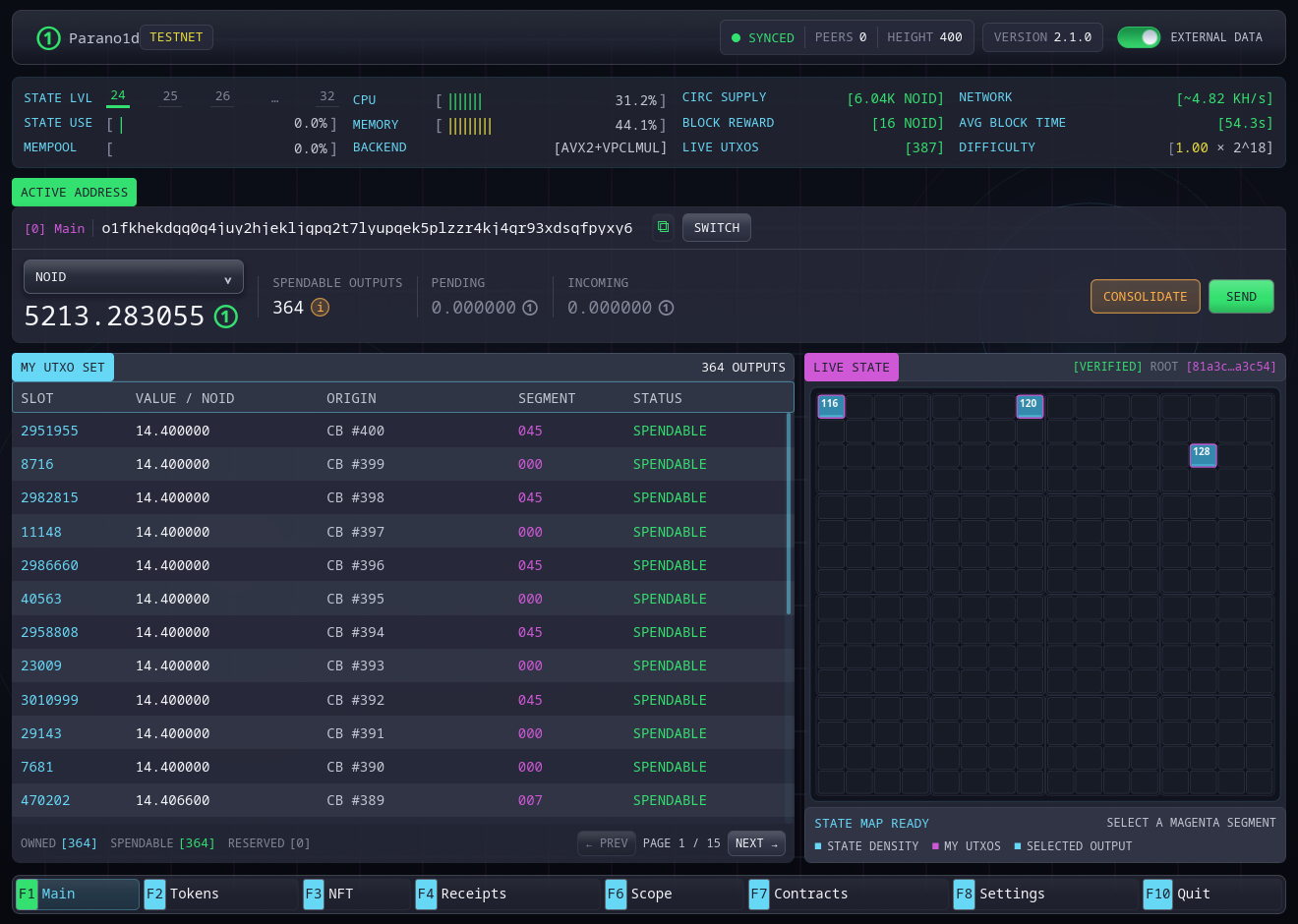
F2 Tokens contains token holdings, Launchpad, DEX and creation. F3 NFT contains your NFTs, Marketplace, My Listings and creation. F4 Receipts retains the confirmed operations.
Create a token with an optional first purchase
- Open Tokens → Create, or choose Create Token in Launchpad.
- Enter the name, ticker and fixed whole-token supply. The minimum is 100,000 tokens. All tokens have six decimal places.
- Optionally add a description, HTTPS project website and logo. Choose Logo accepts PNG, JPEG or WebP up to 4 MB.
- For a first purchase, enter the number of tokens in Initial buy. Leave it at zero to open the curve at its starting price.
- Read NOID backing deposit and Initial buy cost before choosing Review.
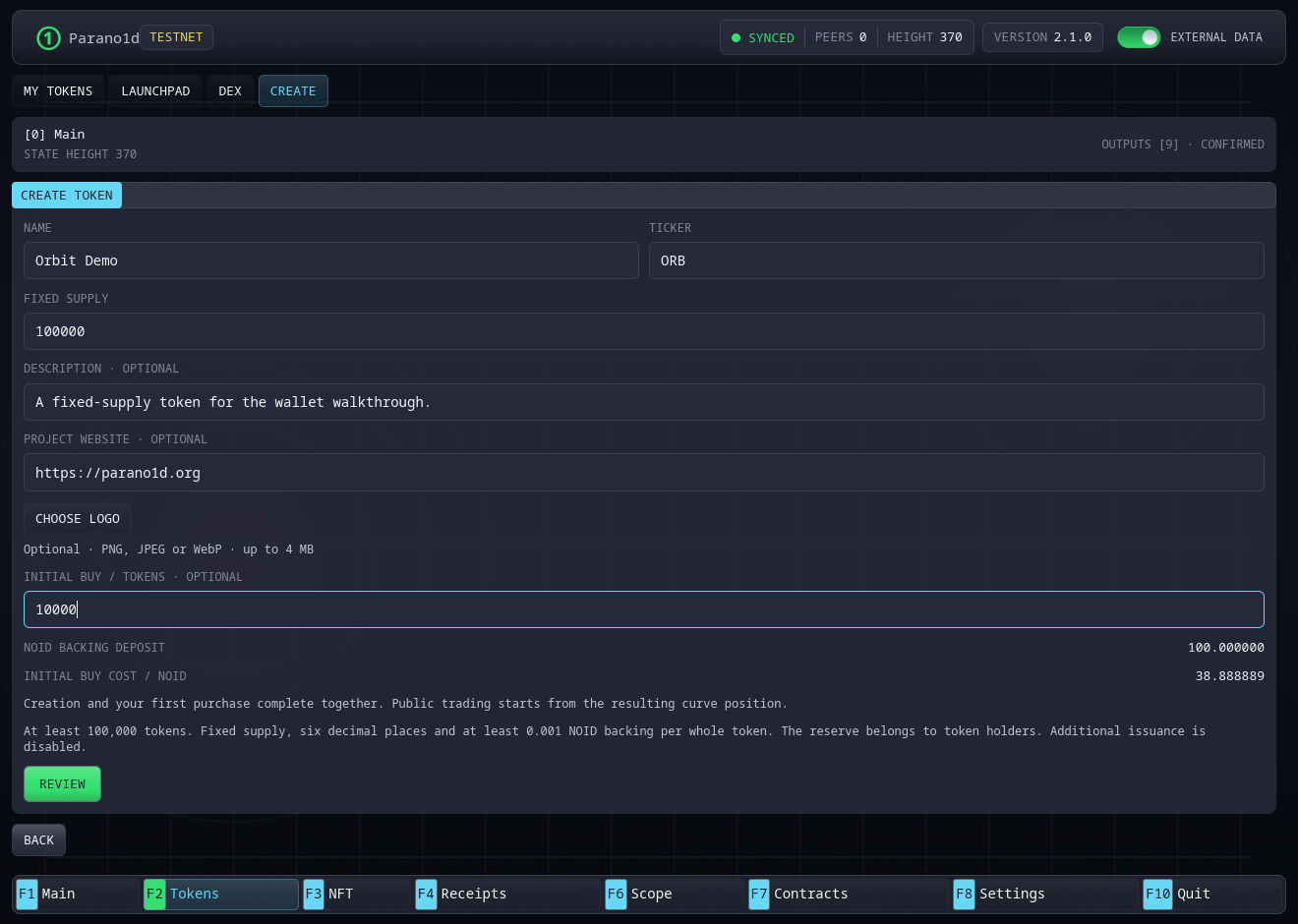
Holder backing is 0.001 NOID per whole token. A supply of 100,000 tokens requires 100 NOID of backing. Buying 10,000 tokens during that creation costs another 38.888889 NOID. The network fee is shown separately.
The first purchase can buy up to 60% of supply, which is the entire curve allocation. The remaining 40% is reserved for permanent DEX liquidity. Creation and the first purchase complete in one transaction. The creator receives the purchased tokens, and other trading starts at the resulting curve price. The supply is fixed for the token's lifetime.
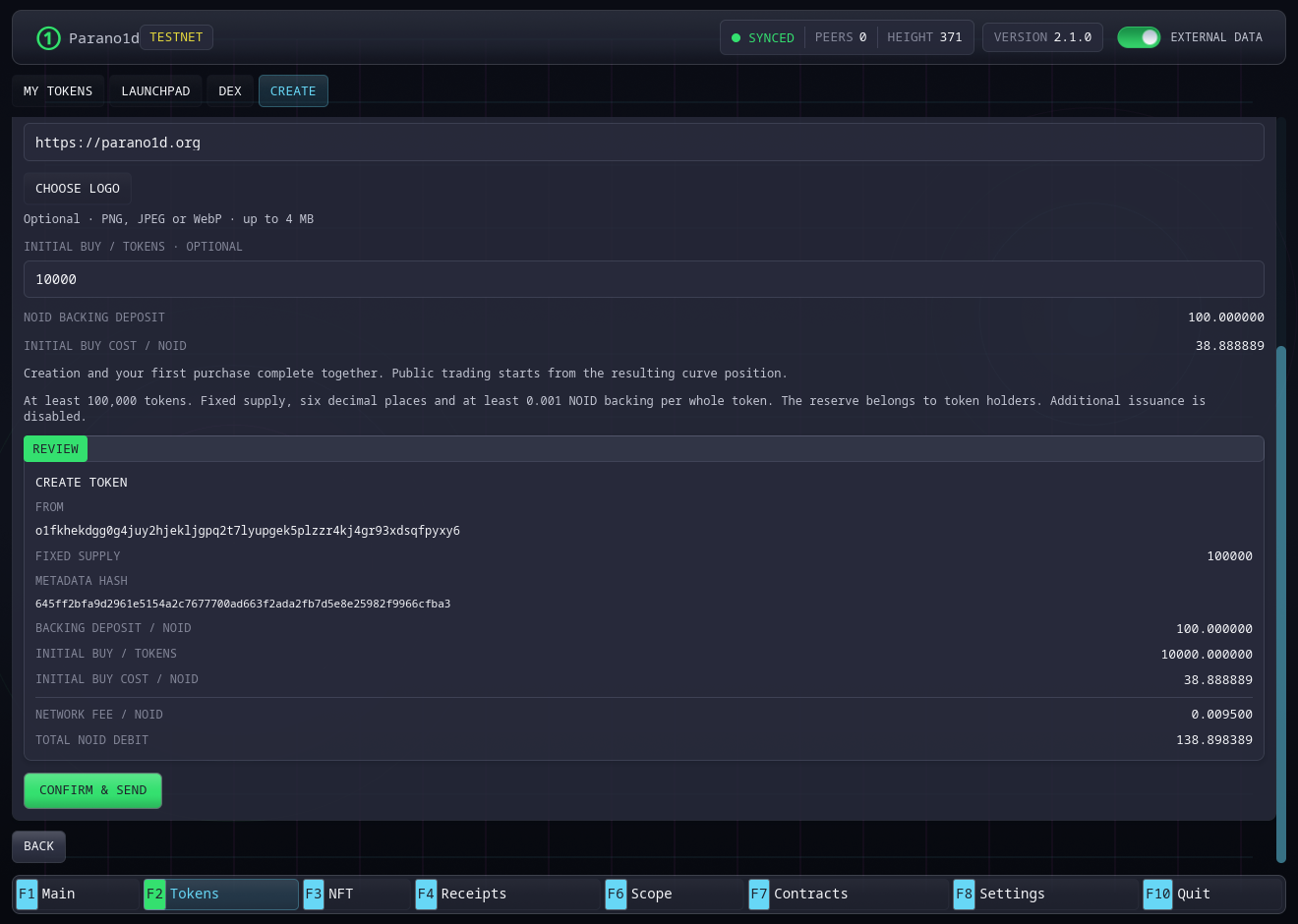
Check the active address, supply, purchased quantity, backing, purchase cost, network fee and total NOID debit. Choose Confirm & Send once. Wait for confirmation, then find the token under My Tokens and Launchpad.
Find a token and check its identity
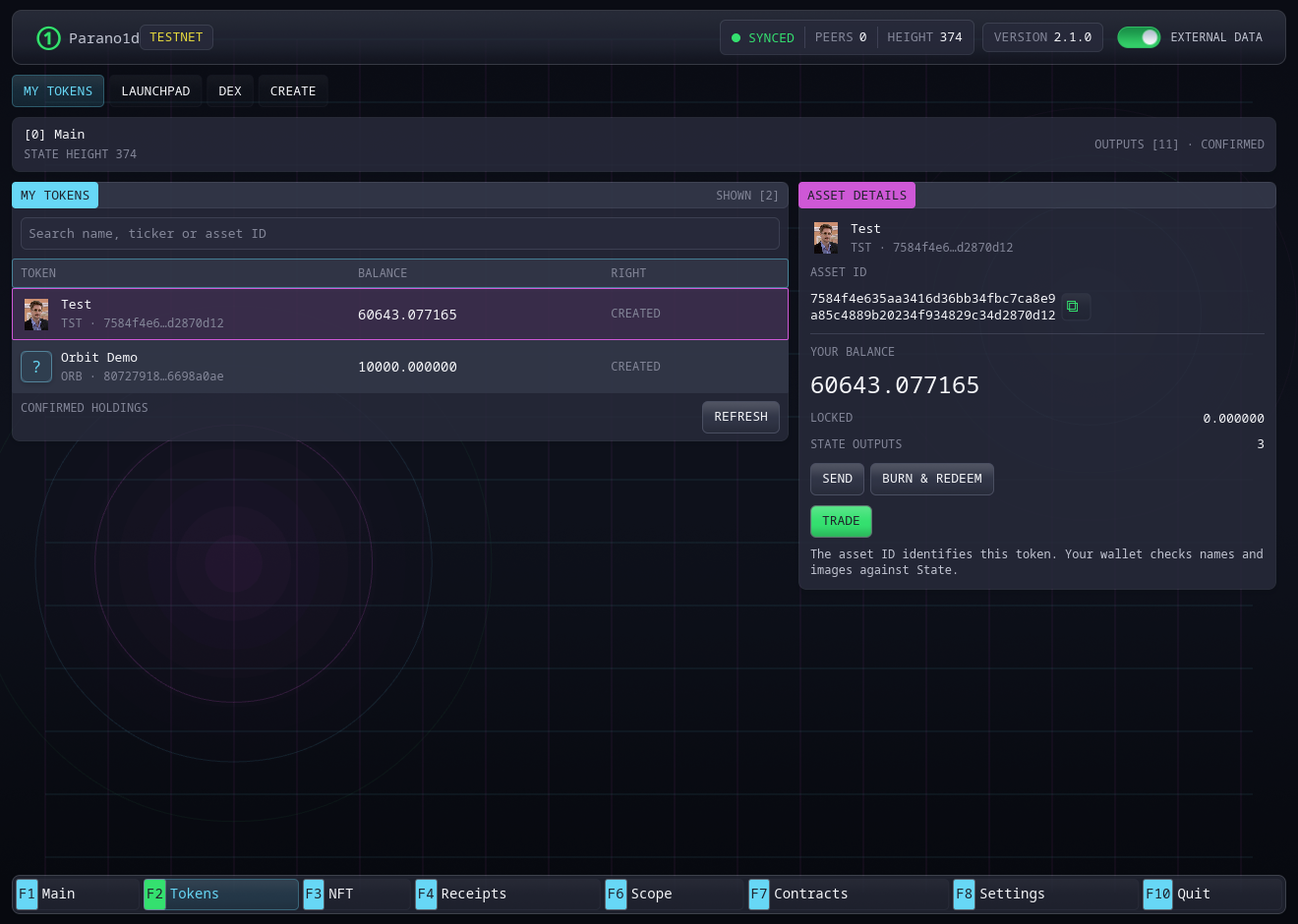
My Tokens shows tokens held or created by the active address. Search by name, ticker or full asset ID. Select a row to see the exact asset ID, balance, locked quantity and available actions. Use the copy icon for the complete ID.
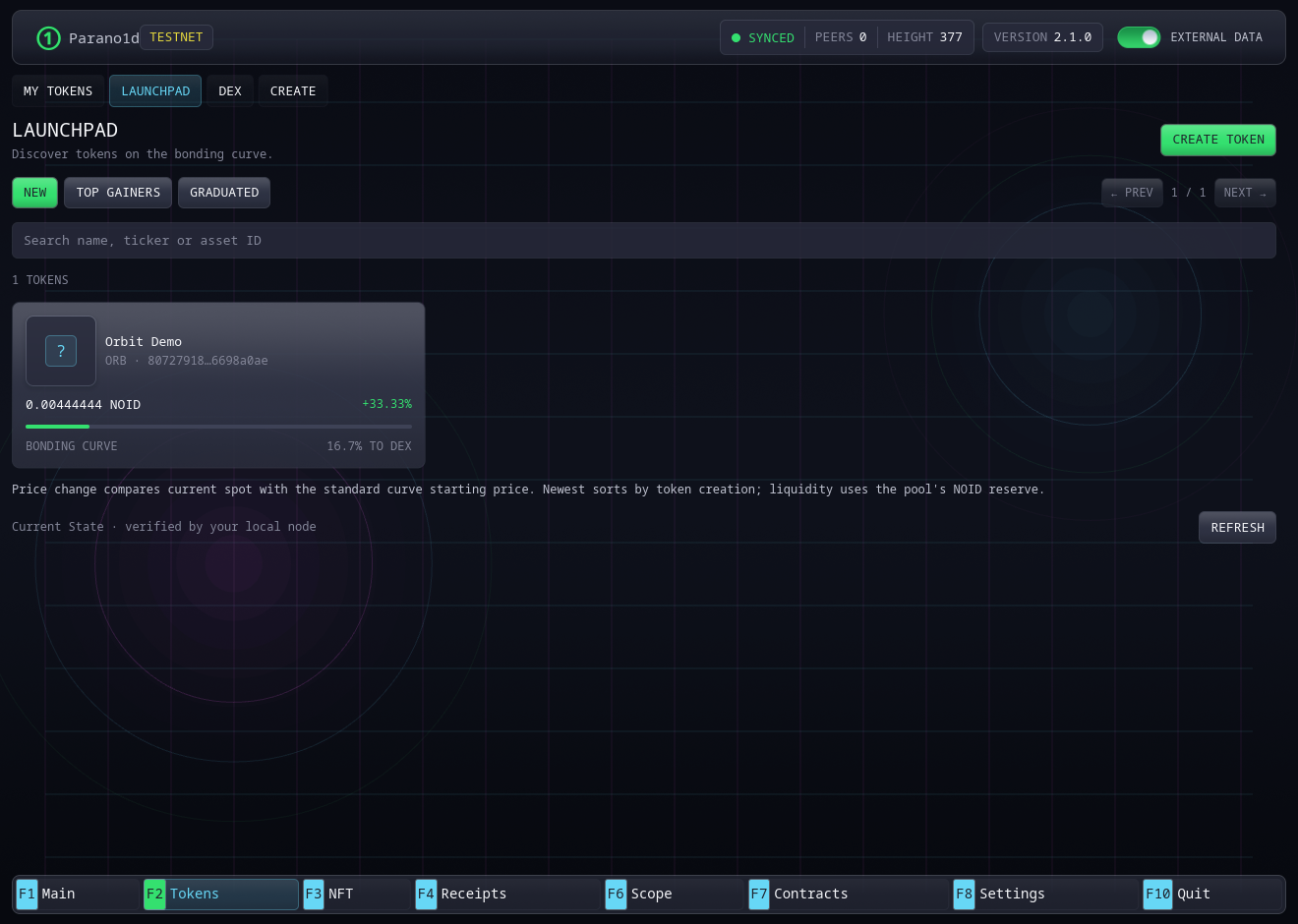
Launchpad has New, Top Gainers and Graduated filters. Cards show the logo, name, ticker, price and curve progress. Price change is relative to the standard curve starting price. Graduated keeps tokens that have moved to DEX. Opening one takes you to its DEX market.
Buy or sell on a bonding curve
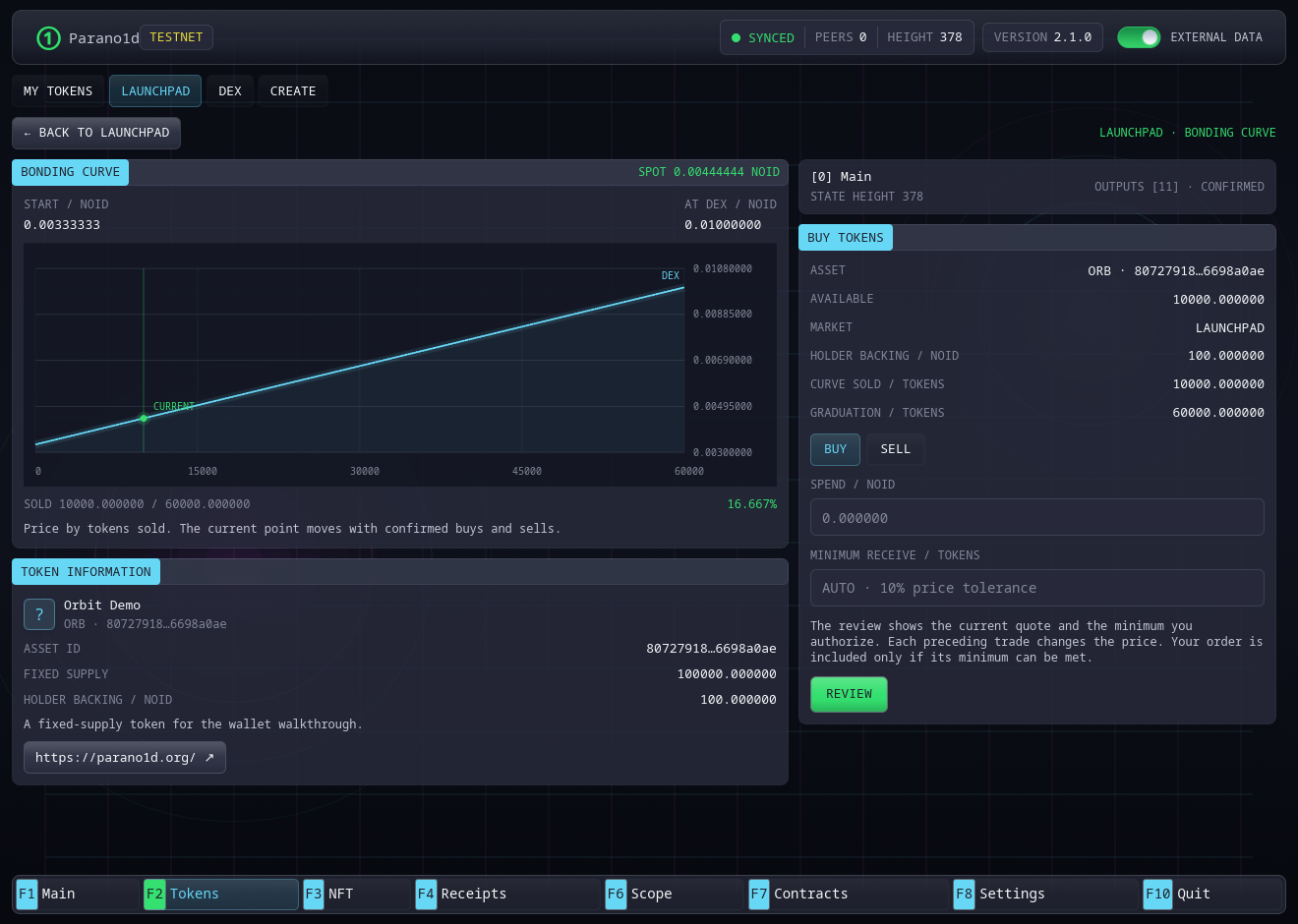
- Open a token in Launchpad. Its page shows the curve, current position, committed token information and trade form.
- Choose Buy or Sell.
- For a buy, enter NOID to spend. For a sale, enter the token quantity. MAX uses the available unlocked, unreserved token balance.
- The default price tolerance is 10%. Enter your own minimum receive quantity to set an exact lower bound.
- Choose Review and inspect the expected output, minimum output, network fee ceiling and last valid block.
The quote includes pending trades currently known to your node. Different nodes can know different pending orders. Your approved minimum output and fee ceiling stay fixed. Several trades can execute in one block, each using the reserves left by the preceding trade.
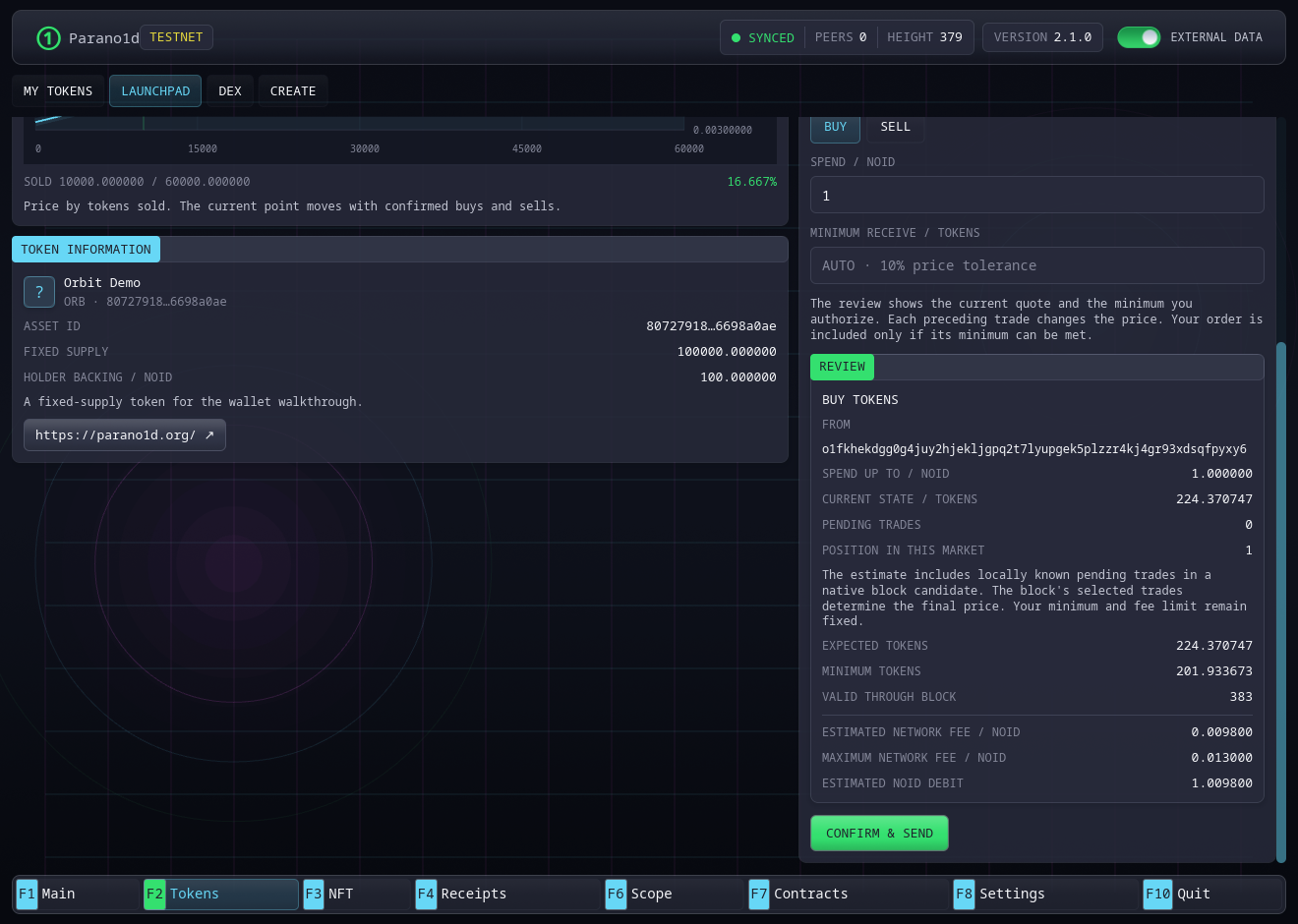
After Confirm & Send, the status becomes Waiting for confirmation. It closes after confirmation and a balance refresh. Close returns to the trade form while Receipts keeps the operation's status.
A policy that cannot meet its minimum leaves its sources unspent. The default validity window covers four candidate heights, about two minutes at the 30-second interval. Pending sources remain reserved in the local wallet until confirmation or expiry is observed. An expired unfilled policy releases that reservation on refresh and pays no execution network fee.
Graduation and DEX trading
Graduation happens automatically when the curve allocation sells. The same asset and holder balances continue on DEX. The curve cash and remaining token allocation become permanent liquidity.
| Supply | Holder backing | Curve allocation | DEX allocation | Curve cash at graduation |
|---|---|---|---|---|
| 100,000 tokens | 100 NOID | 60,000 tokens | 40,000 tokens | 400 NOID |
| 5,000,000 tokens | 5,000 NOID | 3,000,000 tokens | 2,000,000 tokens | 20,000 NOID |
Holder backing stays in its separate redemption reserve. The creator's first purchase counts toward curve progress.
DEX shows graduated tokens with Liquidity, Top Gainers and Newest sorting. Search and pagination keep the catalogue manageable.
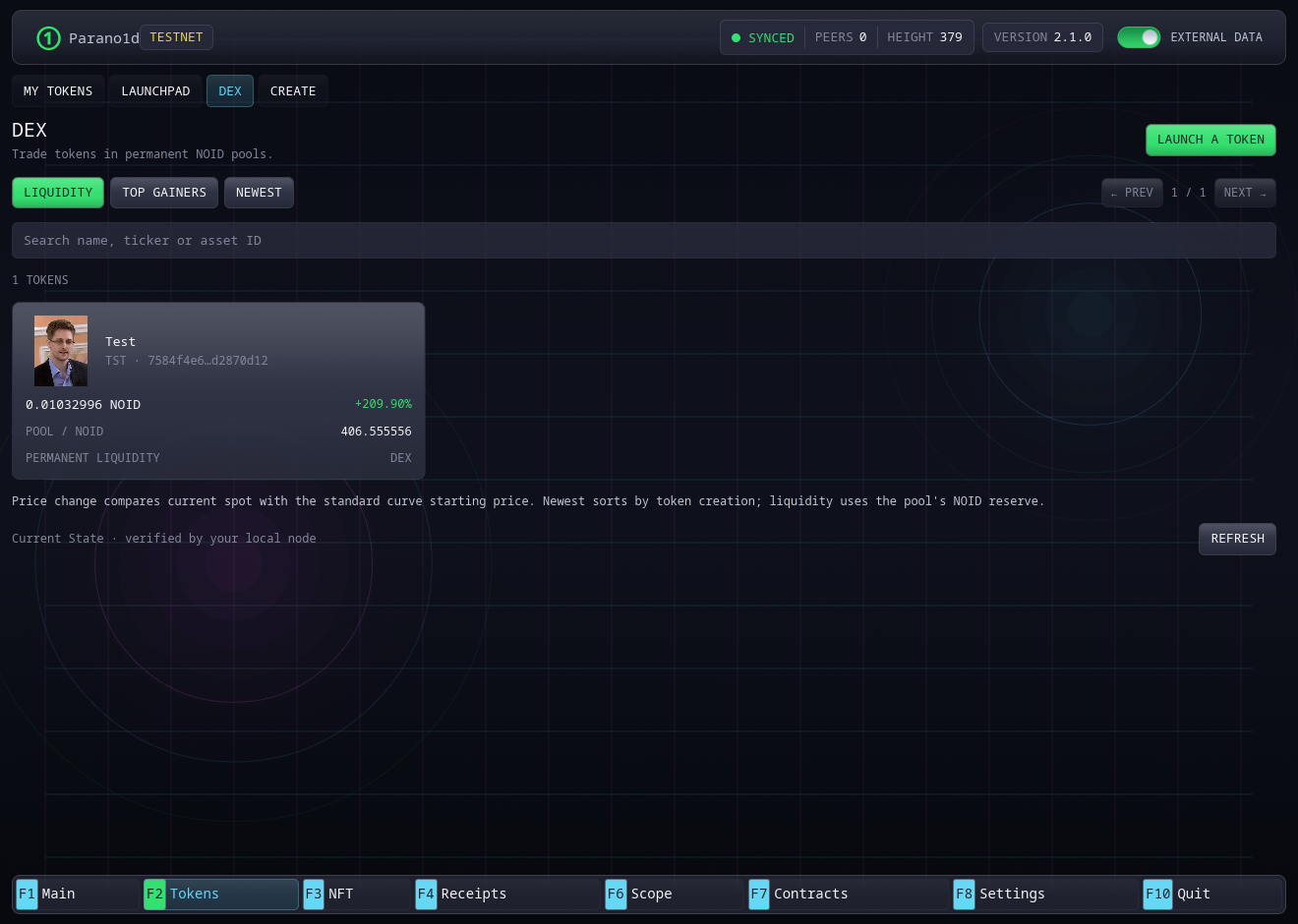
Open a card and use the same Buy, Sell and Review flow. Check pool reserves, current price and the complete asset ID. The DEX fee is 0.3% of input, rounded up to a base unit. The network fee appears separately.
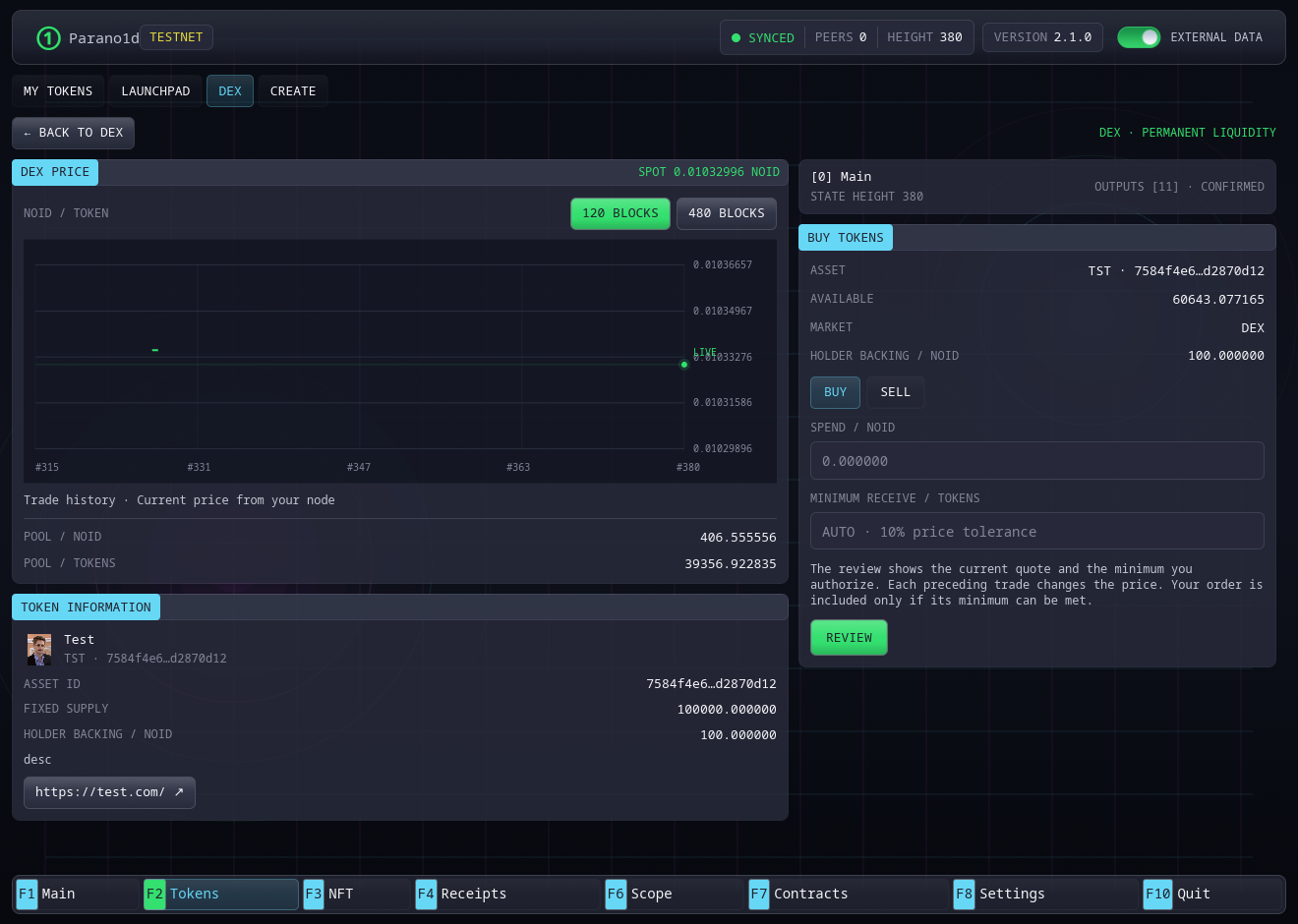
The live price comes from your node. With External data enabled, the open market also loads price history. Back returns to the originating catalogue with its search, filter, page and scroll position.
Send tokens
Open My Tokens, select the asset and choose Send. You can also select the token in the Main send dialog.
Paste the recipient's o1 address and enter the quantity. MAX fills the
available balance. Review the exact asset, recipient, quantity and NOID network
fee before confirmation. Keep NOID for that fee on the sending address.
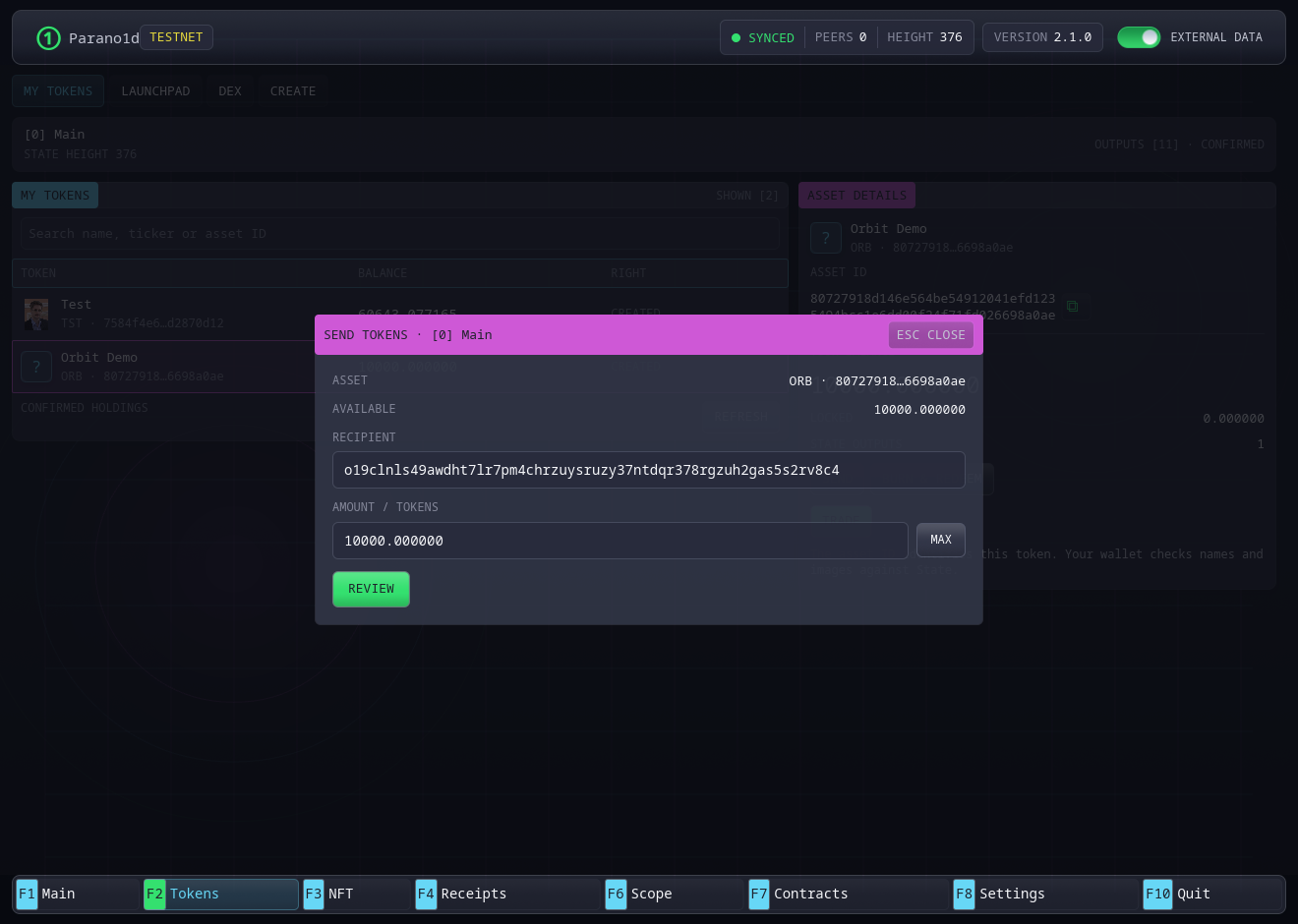
The dialog opens over the current workspace. Esc or Close returns to the same selection.
Burn tokens and redeem backing
Choose Burn & Redeem for the selected token. Enter a quantity or choose MAX, then review the NOID returned and network fee. Confirmation destroys the tokens and pays their proportional backing in one transaction.
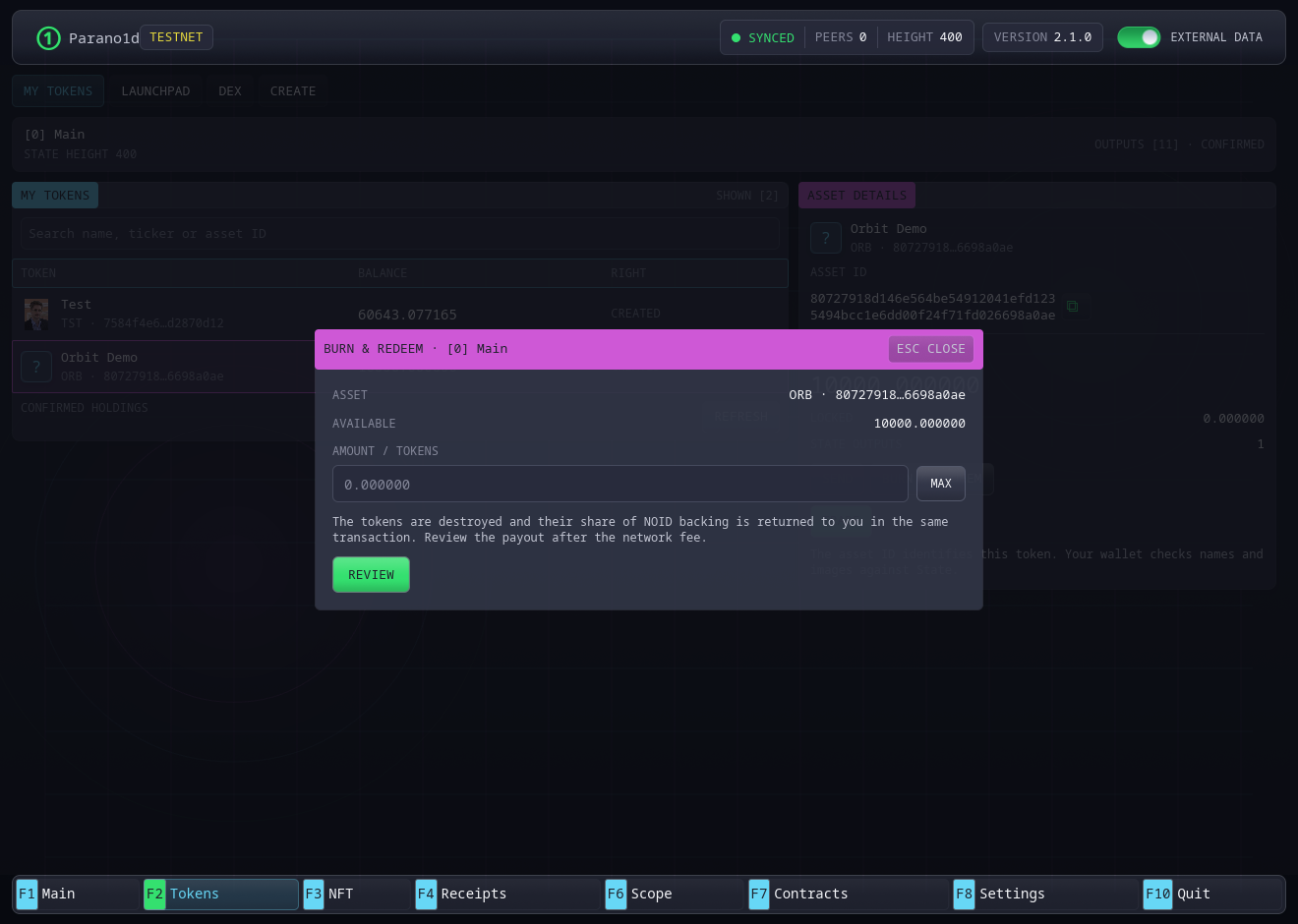
The reserve pays the integer part of reserve × burned / outstanding.
Rounding stays with remaining holders. Burning the final outstanding units
returns the whole remaining reserve.
Create one NFT
- Open NFT → Create → Single NFT.
- Enter its name and choose an image. Description and HTTPS project website are optional. Images accept PNG, JPEG or WebP up to 4 MB.
- Choose Review preparation · Step 1/2, check the fee and confirm.
- After confirmation, open the prepared card in My NFTs and choose Complete NFT.
- Review and confirm Mint · Step 2/2. The confirmed item is ready to send or list for sale.
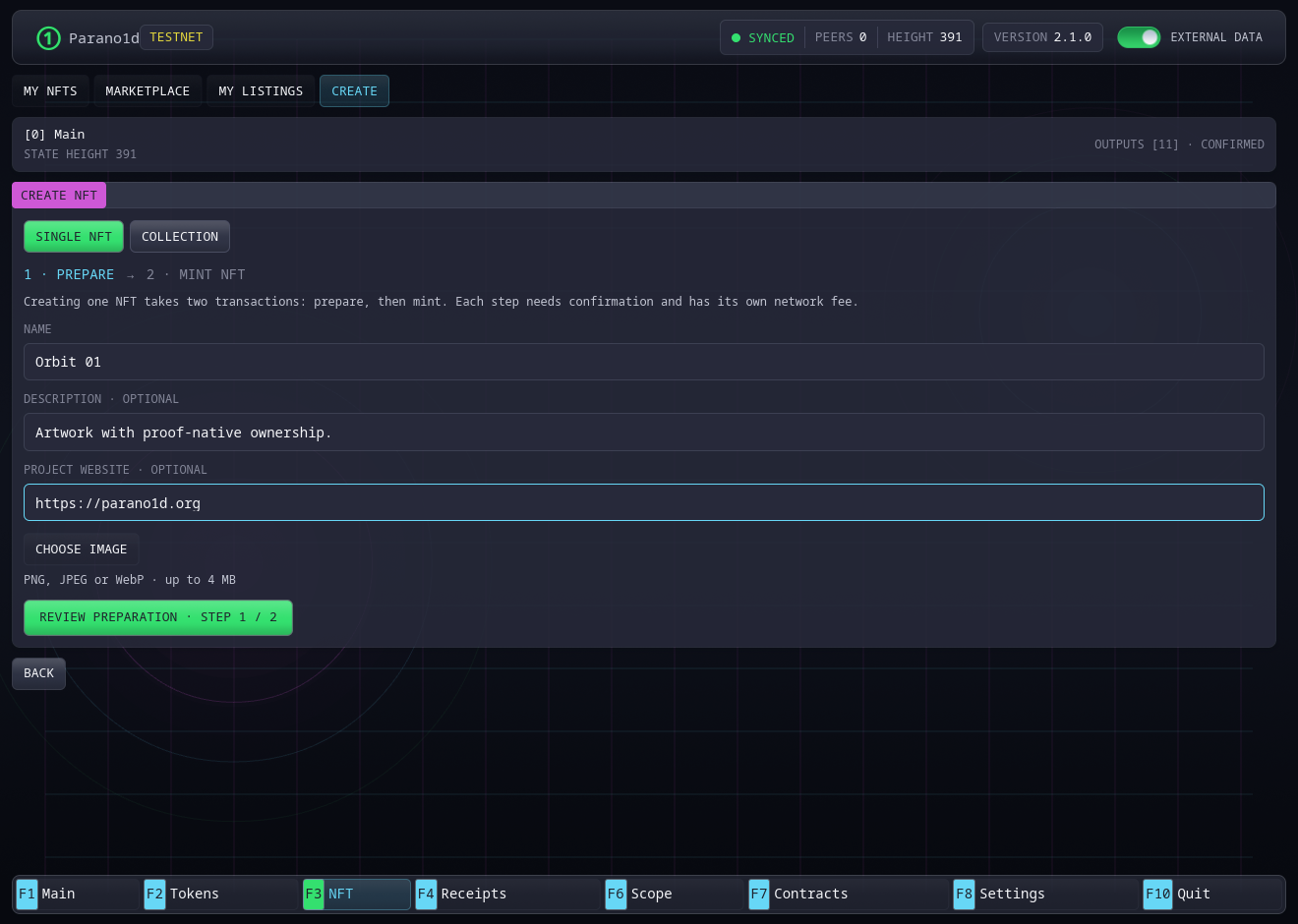
Each step is a transaction with its own fee. A prepared card survives a wallet restart, so you can finish minting later.
Create a collection and mint a batch
- Choose NFT → Create → Collection. Enter its name and optionally its cover image, description and HTTPS website. Review and confirm.
- Open the confirmed collection in My NFTs.
- Choose Add NFTs, then Add Images. Select several image files.
- Edit the suggested names and, if needed, the shared description and website.
- Review the count, serial range and fee. Confirm once to mint the complete batch atomically.
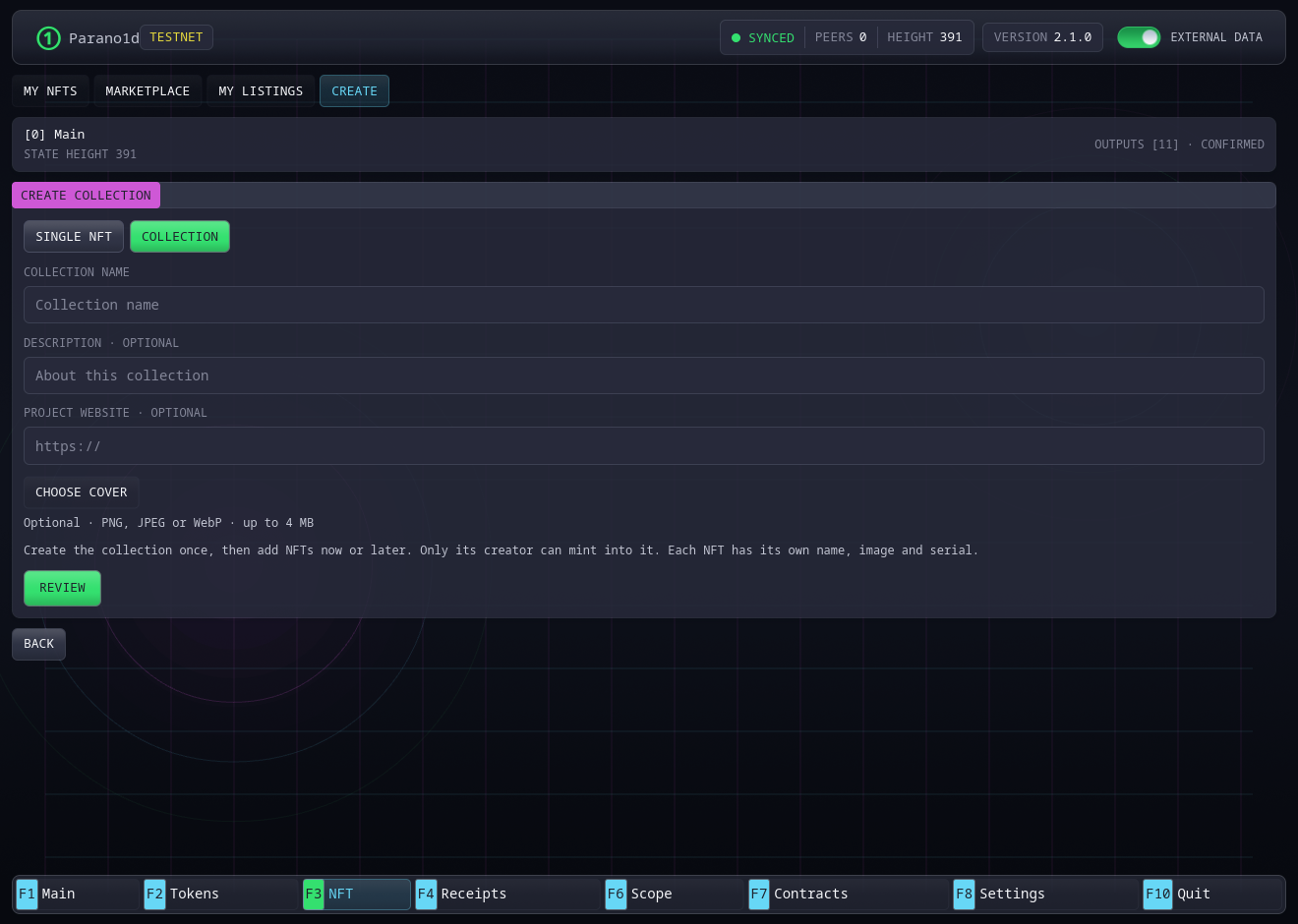
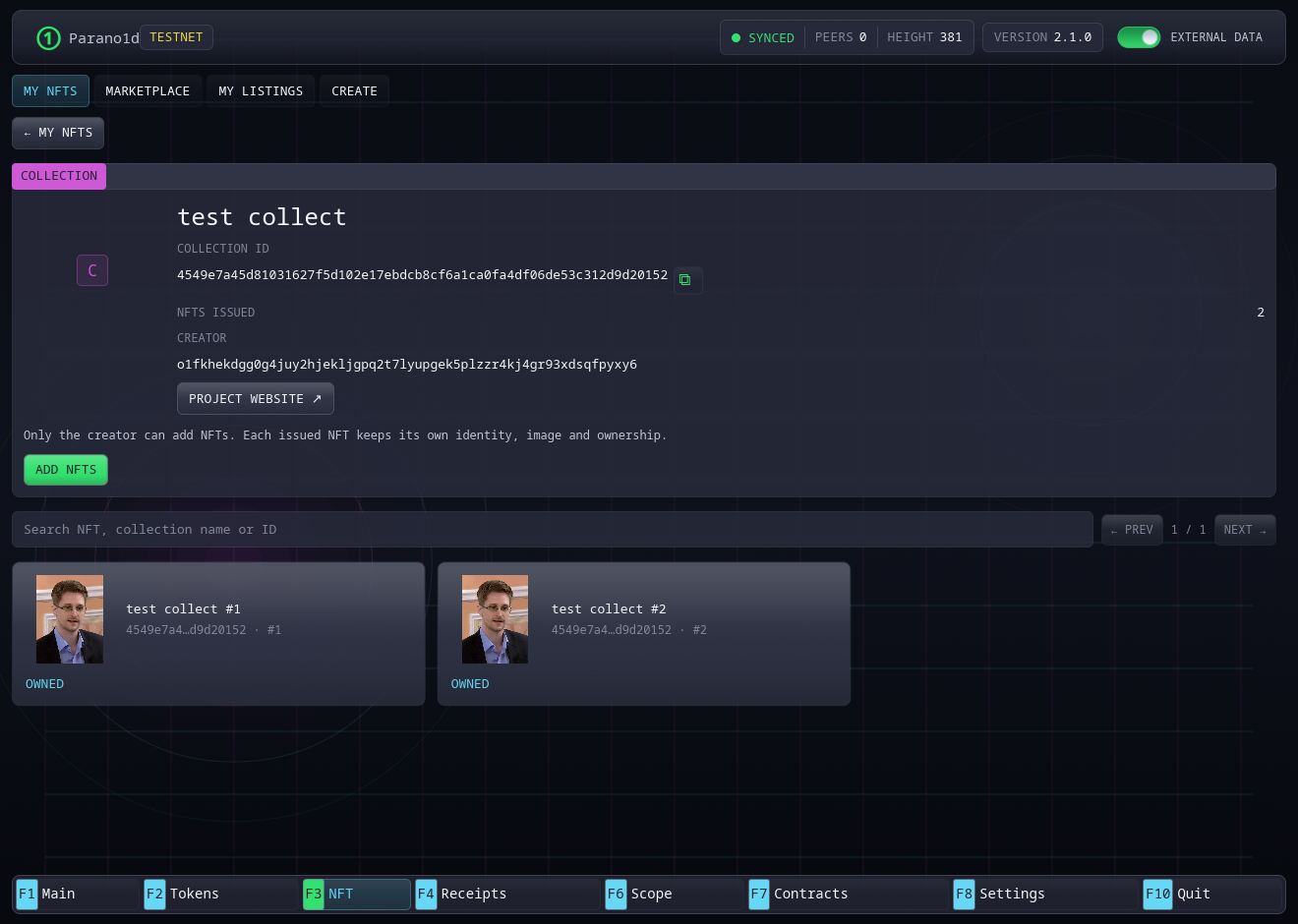
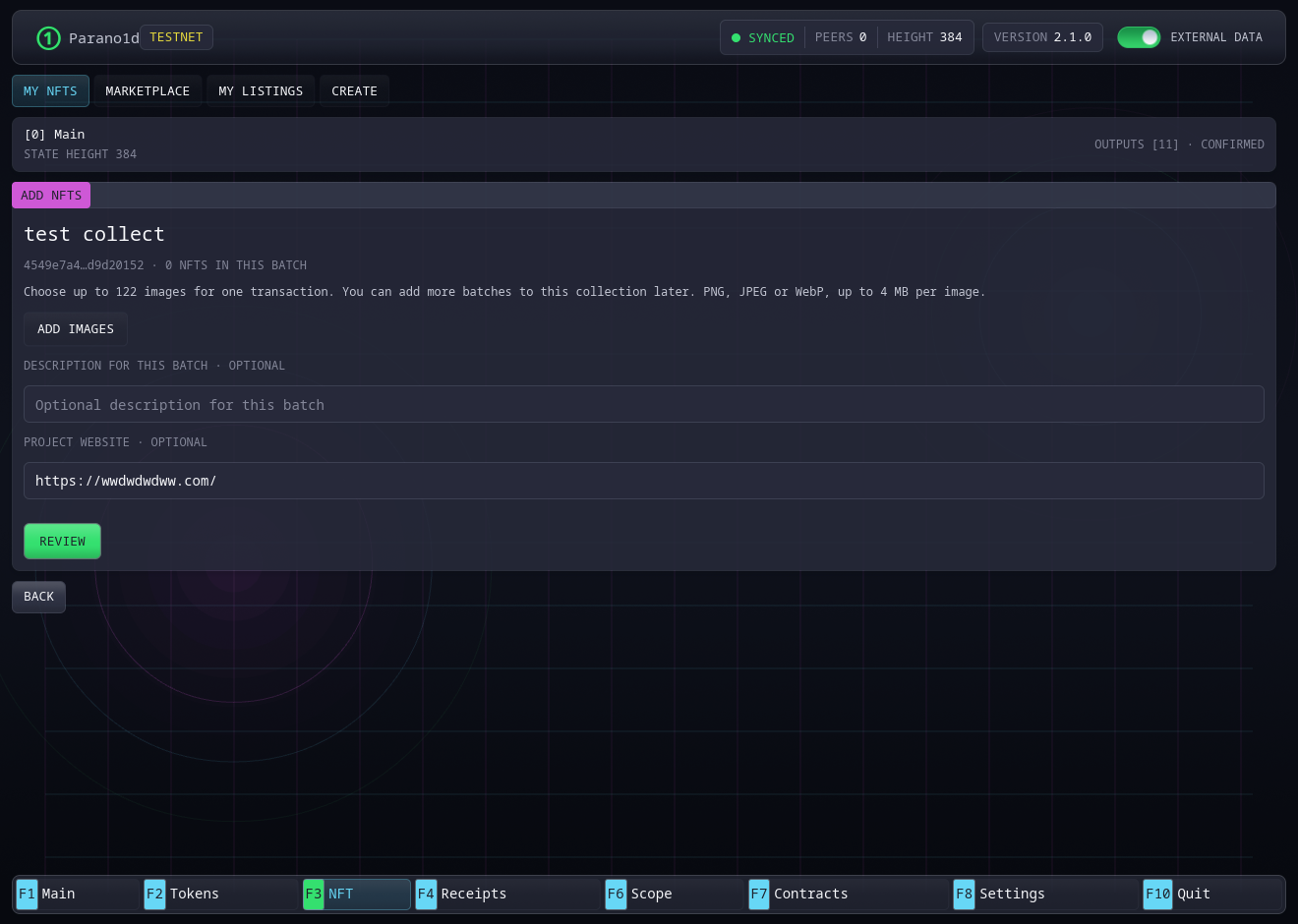
The current per-transaction ceiling is 122 items with one NOID funding input. More funding inputs can reduce the available batch size. Review checks the actual limits before proving. Each source image is limited to 4 MB, and the prepared batch has a 128 MB memory limit.
Return to the same collection to mint another batch now or later. Only its creator can add items. Each item has its own serial and metadata commitment. Sending or burning an item preserves the serial's issuance record.
Browse and transfer NFTs
My NFTs groups owned items and collections. Creator-owned collection cards also provide the route for adding more items. Use All, Collections or Single NFTs, plus search by name, ID or serial.
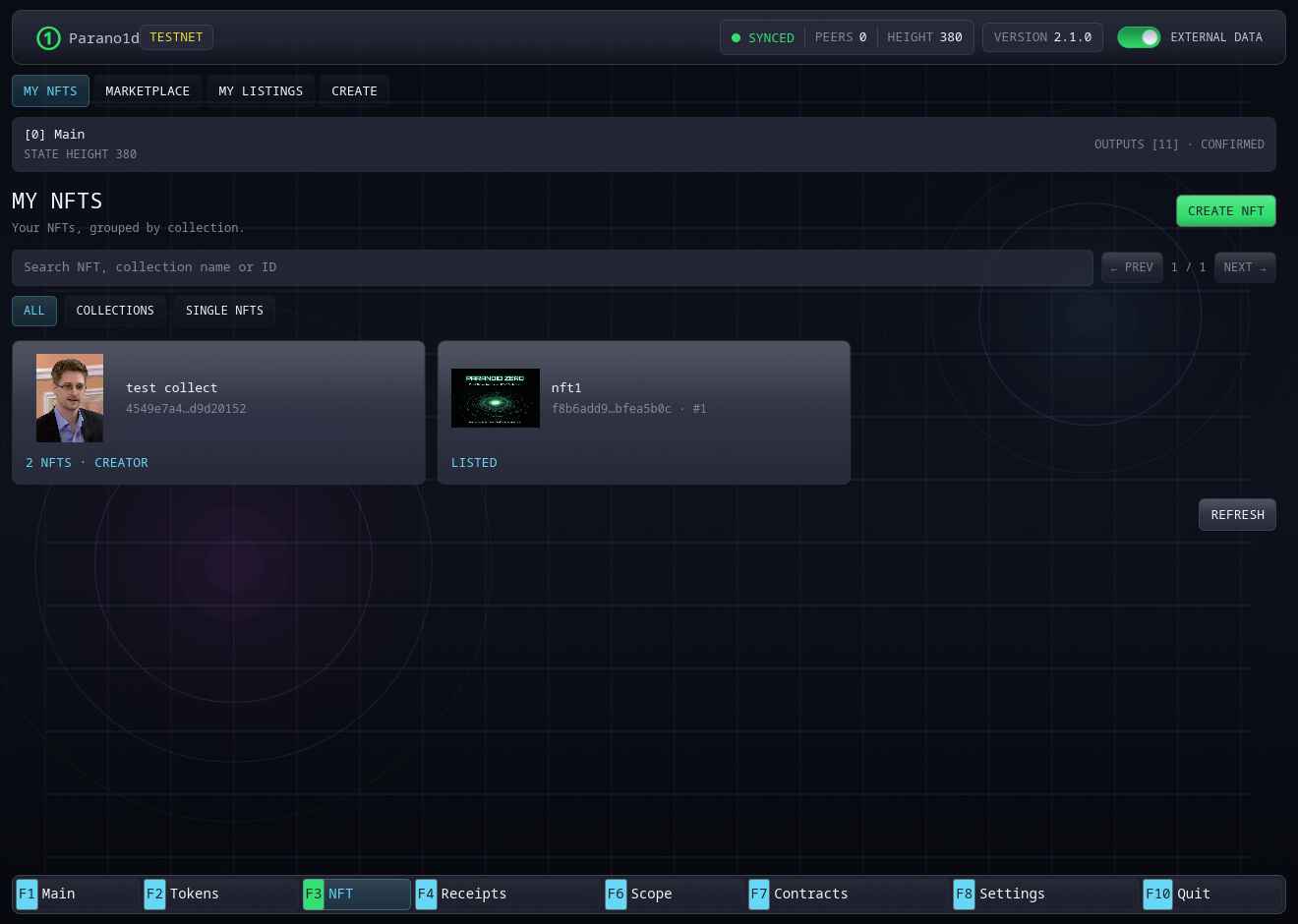
Open an owned item and choose Send. Paste the recipient, review the exact collection and serial, and confirm the network fee. Burn permanently consumes the selected item. These actions open dialogs over the NFT workspace.
List an NFT, buy it or remove a listing
To sell, open Marketplace → List NFT, choose an available owned item and enter its NOID price. Alternatively, open the item in My NFTs and choose List for sale. Review the ask, 0.1 NOID listing credit, network fee and expiry before confirming.
The confirmed listing appears in Marketplace and My Listings. A listing lasts 2,880 blocks from creation, about a day at the 30-second interval.
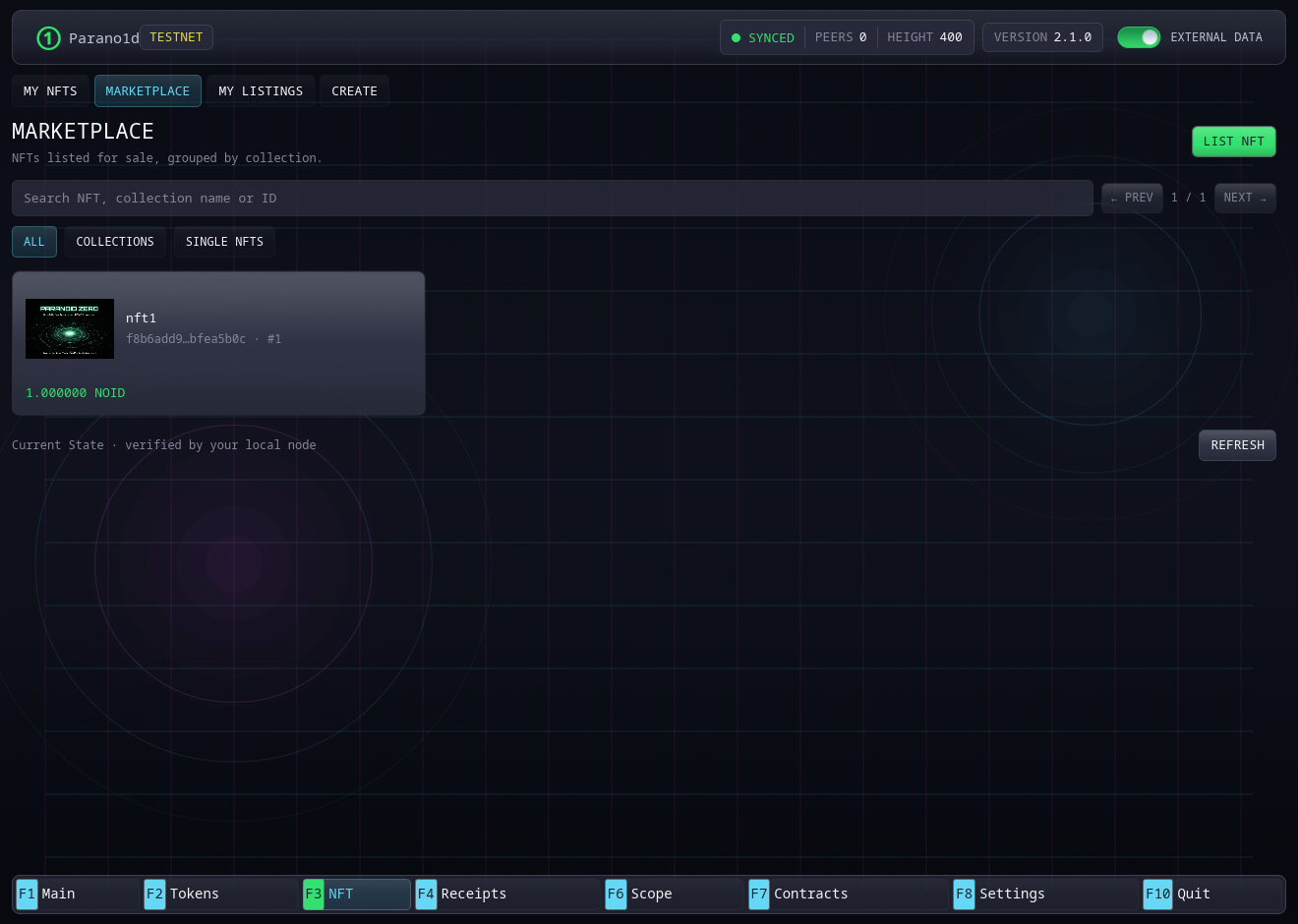
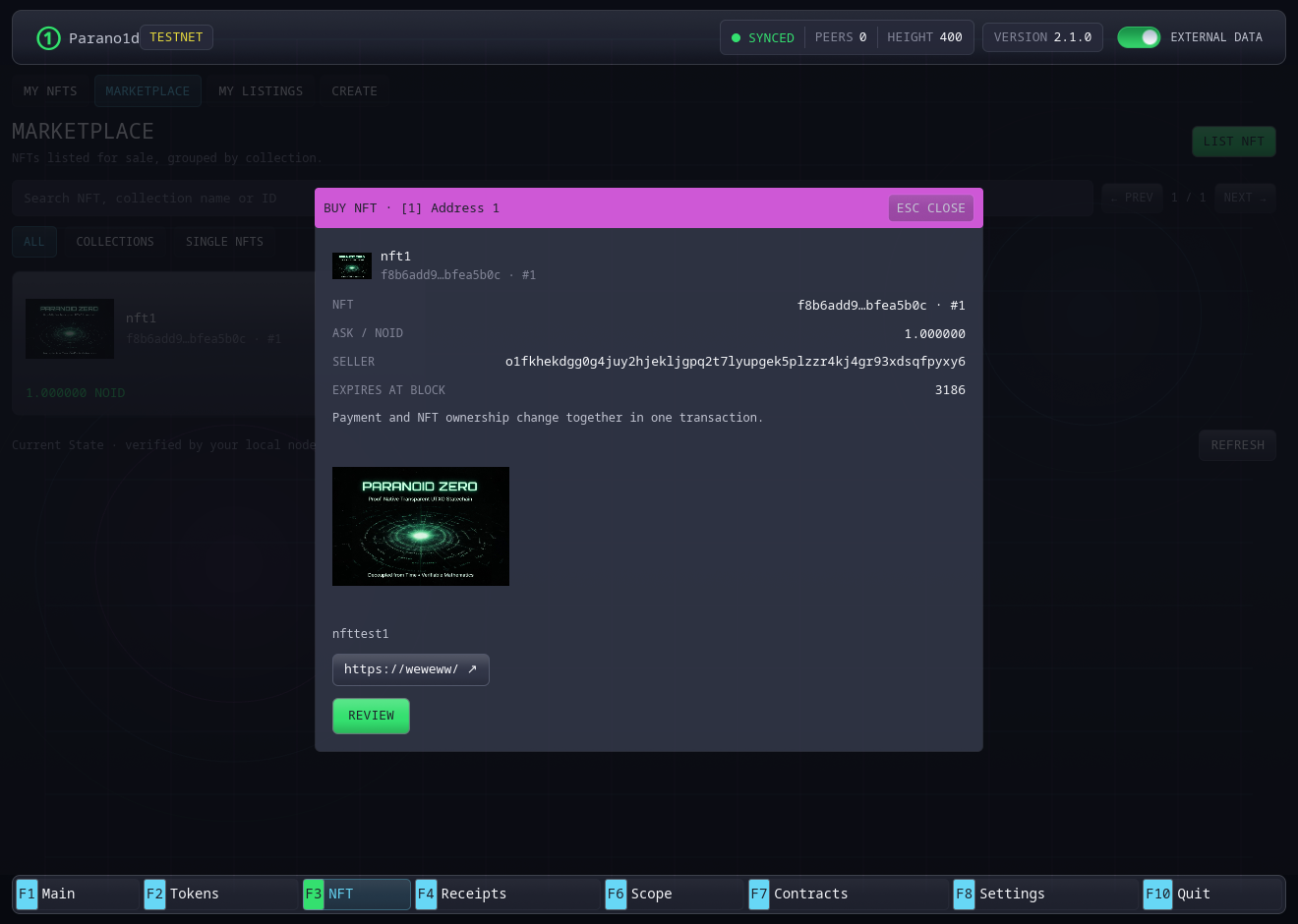
A buyer opens the listing from a different address, checks its image, collection, serial, seller and ask, then reviews the purchase. Confirmation transfers the NFT and payment atomically. The seller receives the ask plus the listing credit.
The seller opens My Listings → Remove listing to recover an unsold NFT and remaining listing credit after the cancellation fee. After confirmation, list it again to offer a different price.
Images, charts and receipts
The header switch External data starts Off. Its tooltip reads Load token images and price history. Turn it on for artwork, logos and the open DEX market's history. Current balances, rights and live prices come from your node in both modes.
Settings → Interface → Clear asset cache clears cached images, metadata and chart data. The image cache is limited to 64 MiB. Prepared uploads and saved receipts stay available.
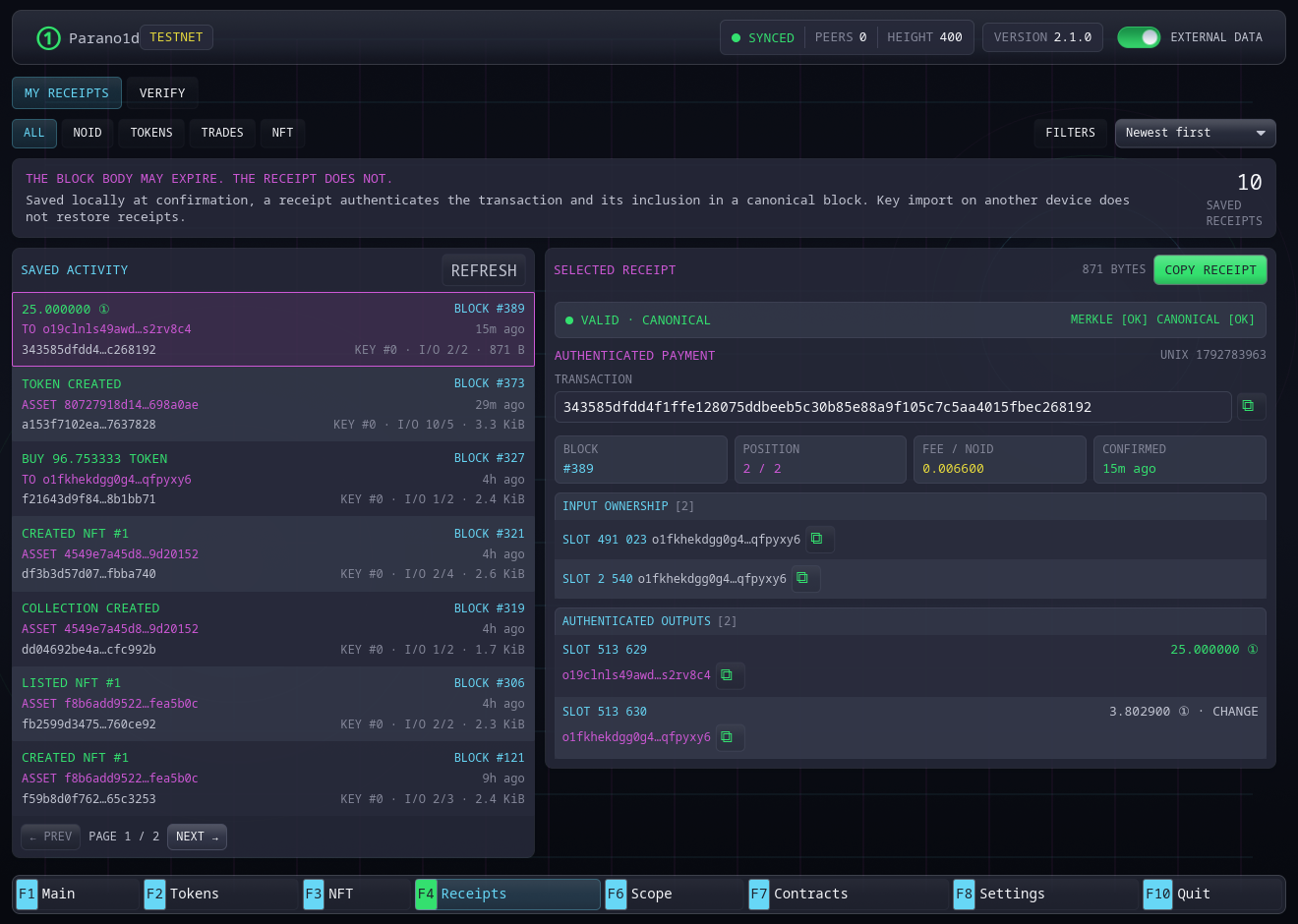
After confirmation, open F4 Receipts. Choose All, NOID, Tokens, Trades or NFT, then use Filters and sorting. Open an entry to check its canonical status and copy its portable receipt. Export important receipts and keep a wallet backup. Receipts remain verifiable after block-body pruning.
See token rules, NFT rules, asset media and the native finance specification for the exact rules behind these operations.