Tokens and trading
F2 → Tokens contains My Tokens, Launchpad, DEX and Create.
The wallet uses its own node to check balances and execute the native rules.
getNativeProtocol reports the installed native capacities and runtime availability.
Create a token
Choose Create, enter a name, ticker and whole-token supply, then review the operation. An image is optional. The minimum supply is 100,000 tokens. Supply is fixed: the launch exposes no later minting or creator withdrawal of holder backing.
An optional HTTPS project website is included in the committed metadata. It opens in the external browser when selected.
Optionally enter Initial buy to buy a token quantity as part of creation. The preview shows the backing deposit, initial purchase and network fee separately. Backing is 0.001 NOID per whole token: 100 NOID for 100,000 tokens, or 5,000 NOID for 5 million. Confirm only after checking the total NOID debit.
Creation and the initial purchase confirm in one transaction. The purchased tokens go directly to the creator, and public trading starts at the resulting curve position and price. The purchase uses the standard curve price. The curve allocation is 60% of supply. The remaining 40% becomes permanent DEX token liquidity. Buying the entire curve allocation at creation immediately starts the permanent DEX pool. Leave the field empty to launch without buying.
For example, creating 100,000 tokens and buying 10,000 costs 100 NOID of backing plus 38.888889 NOID for the purchase, plus the network fee.
Buy and sell
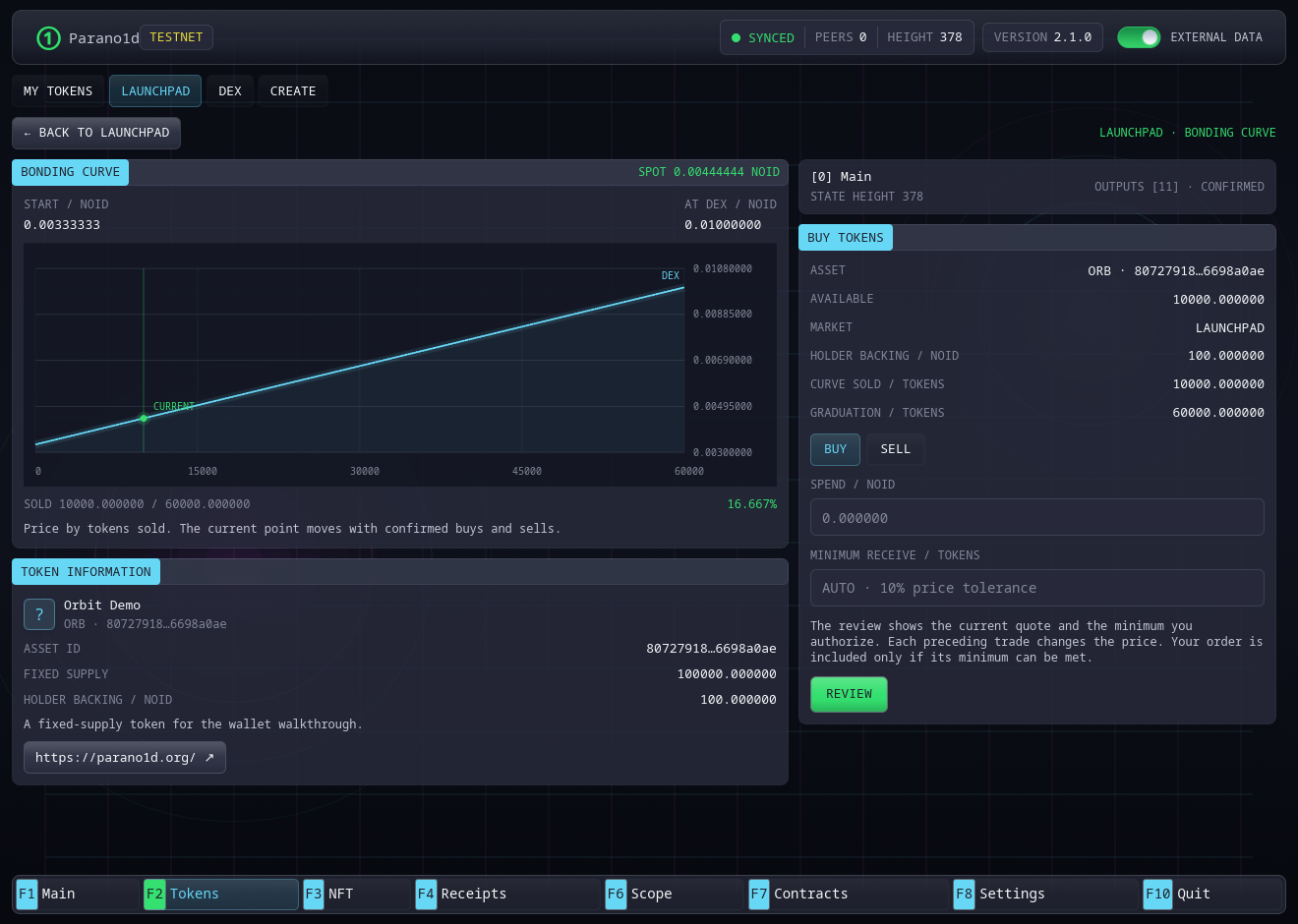
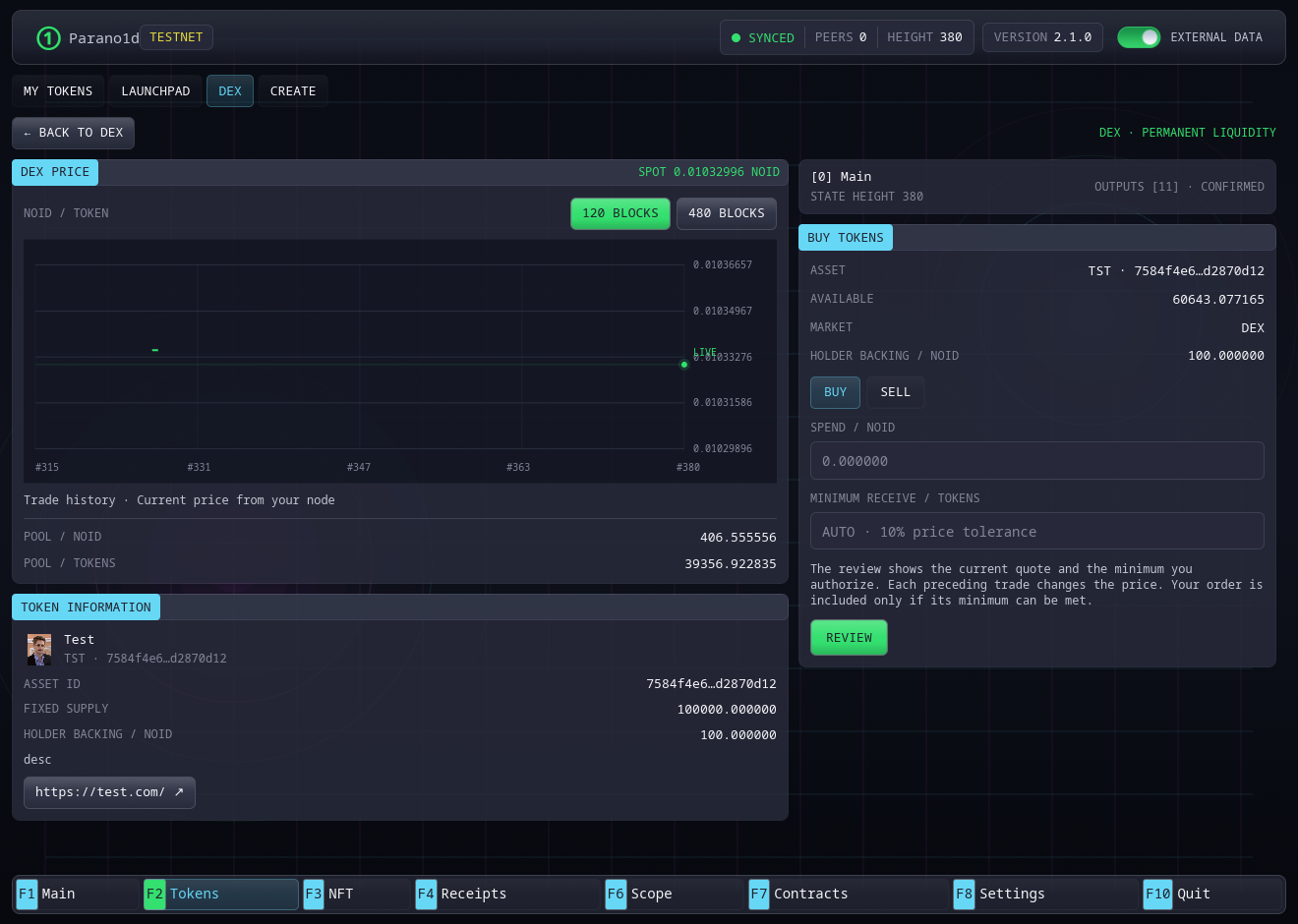
Launchpad shows image cards, search and New, Top Gainers and Graduated filters. Its Create Token button opens the creation form. Open a curve token to see its chart, information and trade form within Launchpad. Graduated tokens remain in the Graduated list and open on DEX. DEX has its own image-card catalogue, search, pagination and Liquidity, Top Gainers and Newest sorting. Back restores the originating catalogue's search, filter, page and scroll position. Price change compares current spot with the standard starting price. Newest sorts by token creation and Liquidity by the pool's NOID reserve.
Open a token in Launchpad or DEX, choose Buy or Sell and enter the input amount. Review the estimated output, minimum output, fees and expiry. The automatic price tolerance is 10%. Enter a minimum receive amount to set your own bound. The preview incorporates trades currently known to your node. The estimate can change as more policies arrive. Your authorized minimum remains fixed.
Several trades can execute in one block. Each uses the market state left by the previous executed trade. A fill receives at least its authorized minimum. A policy that cannot meet its terms leaves its inputs unspent. Confirmation arrives with the block.
After sending, the panel shows Waiting for confirmation. It closes automatically after the order confirms and balances update. Close returns to the trade form. You can follow the submitted order in Receipts.
An unfilled trade can remain pending until its expiry. The default window covers the next four candidate block heights, about two minutes at a 30-second block interval. Unspent inputs are reserved locally while the policy is pending. Expiry removes it from the queue and releases the wallet reservation on refresh. An unfilled trade pays no network fee. Removing an entry from one node does not revoke a still-valid policy on other peers.
The standard spot starts near 0.00333333 NOID per token and reaches 0.01 NOID at graduation. For 5 million tokens, graduation occurs at 20,000 NOID of curve cash. For 100,000 tokens, it occurs at 400 NOID. Holder backing is additional and stays separate.
At graduation the same asset enters its permanent NOID pool automatically. Your tokens retain their identity and balances. DEX trades charge 0.3% of input, rounded to a base unit. The network fee is separate.
Send and burn
The Main balance selector starts with NOID and lists fungible tokens owned by the active address. Open Send on Main and select the token, or use My Tokens → Send. Check the exact asset identity, recipient and amount. A matching ticker alone does not identify a token.
Send and Burn open over the current list. Close the dialog or press Esc to return to the same selection and search. MAX fills the available token quantity for sending, burning or selling, excluding locked and reserved units.
Burn destroys your selected token quantity and returns its proportional share of NOID backing in the same transaction. Review the redemption and network fee. The remaining holders keep the reserve's rounding remainder.
Activity and receipts
Pending operations survive wallet restarts. A submitted operation can be unconfirmed while waiting for inclusion. Opening a new preview does not silently replace an earlier authorized policy. Receipts separates native operations from ordinary payments and supports filters and sorting. Export the receipts you want to retain.
Launchpad draws its bonding curve and current position from authenticated market State. DEX shows current price, pool reserves and a live price line from your node. The line starts when you open the token and follows confirmed State. External data adds trade history from the service. Choose 120 or 480 blocks for the visible range. Candles record executed prices including the market fee. Chart data stays in bounded memory for the open market.
Names, tickers and logos use content-addressed asset media. The wallet checks their commitment from State before display.
Screenshots show the actual Rust/Iced wallet on an isolated test network. See native finance for exact rules and native RPC for integration.