
Wallet
The native wallet is a full-node application. It derives addresses, proves spending authority, submits transactions, follows Live State, verifies blocks and stores payment receipts on the same device.
Its bundled node is a private application component. The wallet starts it without a terminal, communicates through local RPC and shuts it down cleanly when the application exits.
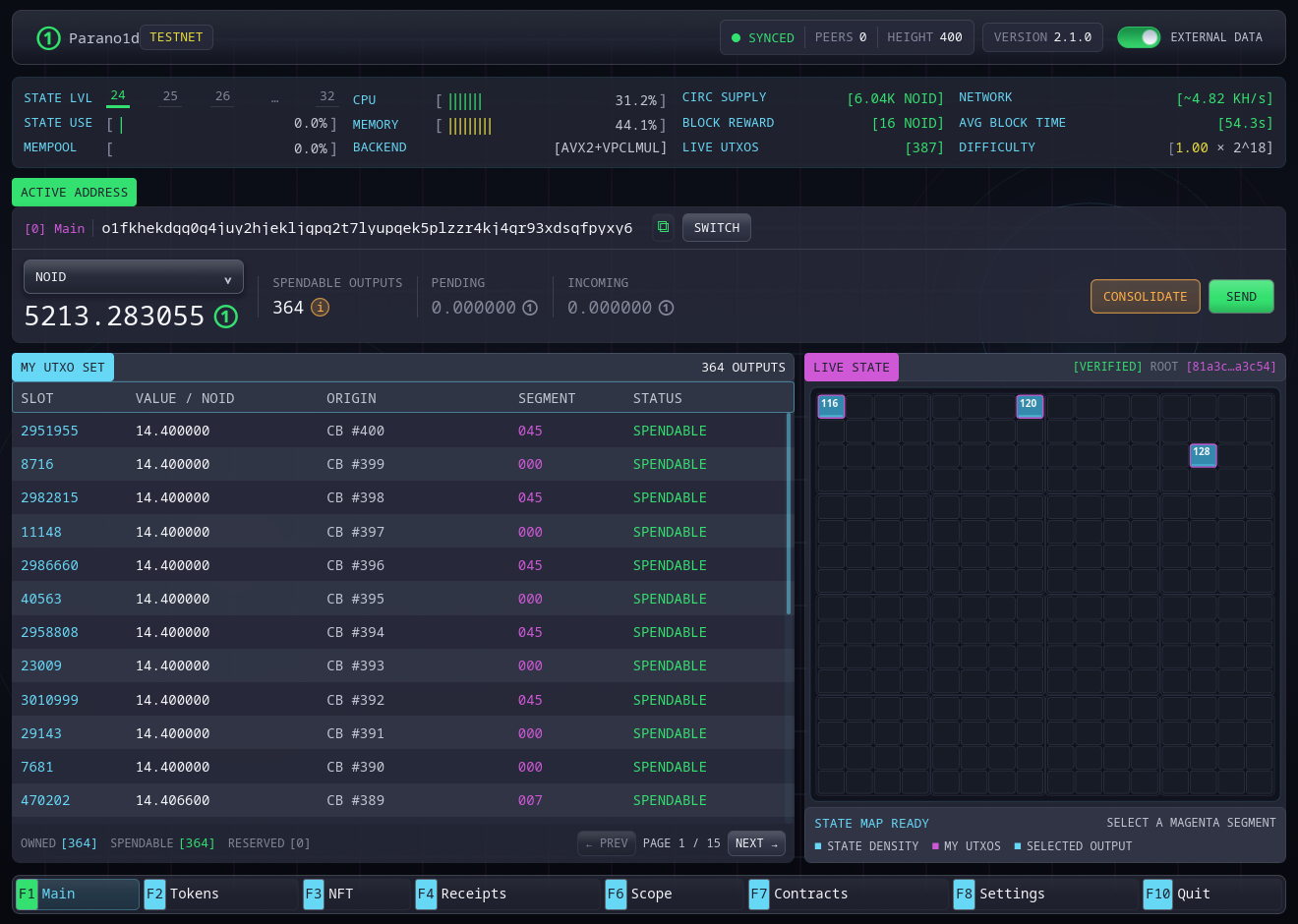
Screenshots show the English wallet connected to an isolated test network. Addresses, balances and heights belong to that local test.
Navigation
| Key | Section | Purpose |
|---|---|---|
F1 |
Main | Active address, balances, UTXOs and Live State map |
F2 |
Tokens | My tokens, launchpad, trading and creation |
F3 |
NFT | Collection, marketplace, listings and creation |
F4 |
Receipts | Ordinary and native receipts, filters and verification |
F6 |
Scope | Search current State, blocks and retained transactions |
F7 |
Contracts | Templates, saved contracts and contract receipts |
F8 |
Settings | Secret, node, network and interface controls |
F10 |
Quit | Stop the supervised node and close |
Esc returns from detail views and closes dialogs.
Contracts
F7 separates three contract workflows:
- Create: choose a template or edit a custom program. The info button explains its rules and gives an example. Create & fund quotes the network fee and asks for confirmation; Save without deposit keeps the rules for later.
- My contracts: open a saved contract, check the active address's permissions, select a deposit and review an action. Operations & receipts tracks recent saved operations, including other participants' retained calls and imported receipts, and offers verified receipt export after confirmation. Rules shows the full spending policy and program.
- Open file: preview a shared contract or a call receipt. The node checks its rules, any attached proof and current balances before you explicitly add it.
Share contract saves the public rules with a matching verified receipt when one is available. A receipt proves a past operation; current spendability is checked separately. Each deposit has its own balance and program counters. Creating identical rules does not give multiple deposits a shared budget.
Open contract files and operation receipts through F7 → Open file. Import updates the existing contract by transaction ID, preserving your records and local name; repeating an import does not duplicate the operation. A contract file includes at most one receipt, not the sender's whole journal. Additional missing operations need their own receipts. F4 Receipts handles ordinary payments and native token/NFT operations. If an offline wallet missed a call that peers have already pruned, request updated terms or a call receipt from a participant to recover the new counters and check their current balances.
Call fee limit caps the fee of a future call. The default 1 NOID is not a creation charge: saving unfunded terms is free, and funding shows its own actual network fee before confirmation.
The contract list and recent activity survive wallet restarts. The node retains
watched contract openings and call receipts; export files when sharing them
with another participant. Back up wallet.contracts.json and the
contract-activity/ and complete objects/ directories with the wallet data. Public contract rules and
saved proofs cannot be reconstructed from the master secret alone.
The active address
One derived address is active at a time. It supplies:
- the owner used for a new payment's inputs;
- the address that receives change.
The wallet still scans and displays generated inactive addresses. It does not silently combine their UTXOs into a payment from the active address.
Local proving
When Proof & Send is selected, the form locks while the wallet constructs a fresh authorization capsule. The secret never enters a transaction field or leaves the wallet process.
After successful submission, the final panel reports the logical transaction ID and public payment facts. Confirmation is tracked by the node and the wallet later saves a receipt.
Local data
The default data directory is:
~/.parano1d/data
on Linux and macOS, and the equivalent .parano1d\data directory under the
Windows user profile.
The master secret is stored in wallet.key. Saved receipts are stored in
wallet.receipts. Interface preferences are in
~/.parano1d/gui-settings.json.
The master-secret file is not password-encrypted. Protect the operating-system account and back up the secret before receiving funds.
Start with First run, learn how a photo can become the wallet key, or jump to Backup and recovery.
The detailed contract guide includes the full workflow and English screenshots.