NFTs
Artwork and public descriptions use content-addressed asset media.
F3 → NFT contains My NFTs, Marketplace, My Listings and Create. NFT actions stay inside this workspace.
Browse your NFTs and the marketplace
My NFTs groups your items into collection cards and individual NFT cards. Collections created by the active address remain available for adding items. Use All, Collections or Single NFTs, or search by name, ID or serial. Open a collection to view its items. Cards use verified metadata and images.
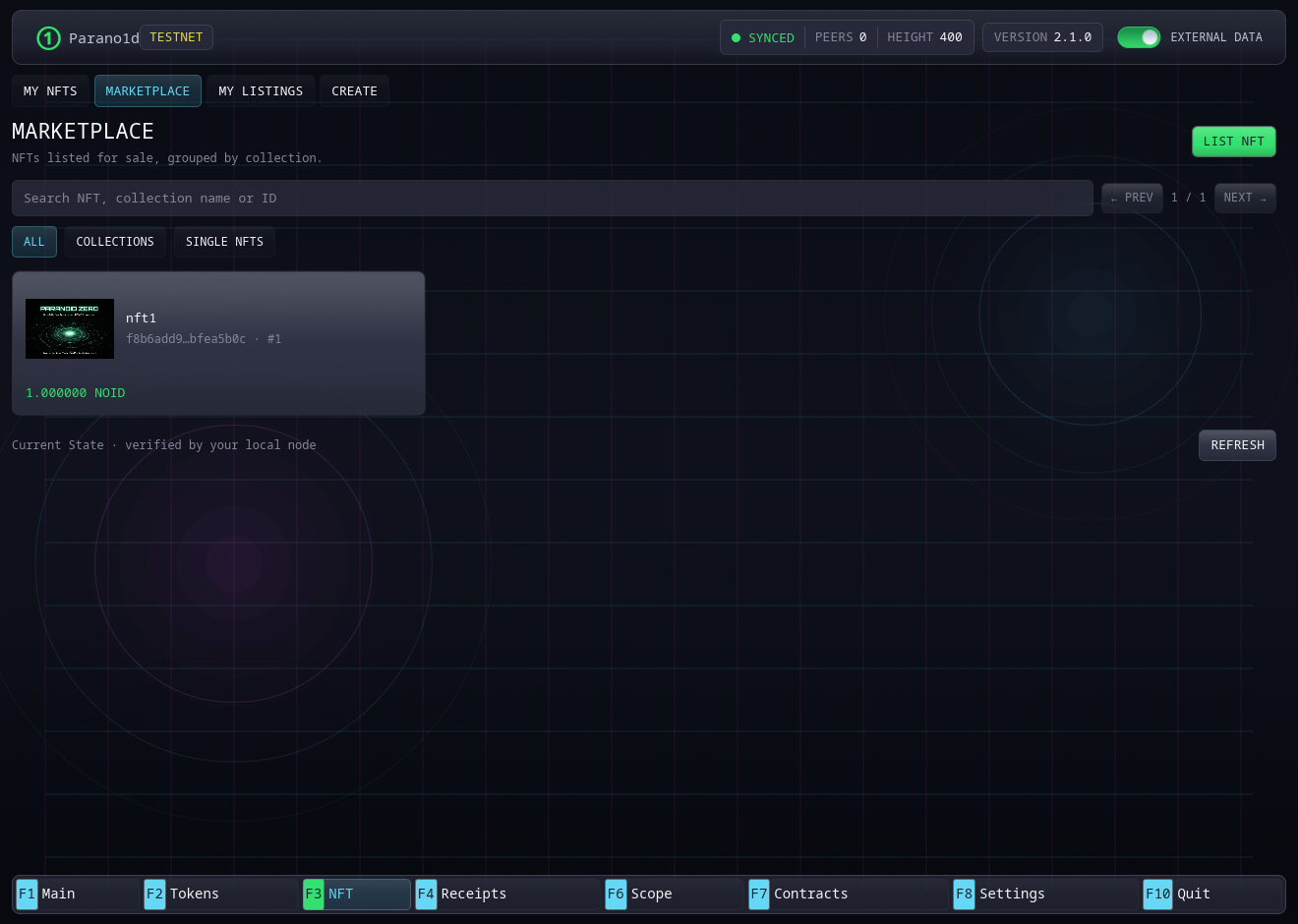
Marketplace groups active sale listings in the same way. Collection cards show the number of listed items and the lowest available ask. Open a collection to browse its listings, or open an individual NFT to review and buy it. My Listings shows each of the active address's sales with its NOID price, expiry and Remove listing button. Its search and filters are independent of My NFTs.
Create a single NFT
Create → Single NFT asks for a name, image, description and optional HTTPS project website. Creating one NFT takes two confirmed transactions, each with its own network fee:
- Prepare, step 1/2: review and confirm the preparation. After confirmation, it appears as a prepared card in My NFTs.
- Mint, step 2/2: review and confirm the mint. After confirmation, the NFT appears in My NFTs and can be sent or listed.
The form and submission status show the current step. Complete NFT resumes a prepared item, including after restarting the wallet.
Create a collection and add NFTs
- Choose Create → Collection. Enter its name, optional cover image, description and HTTPS website, then review and confirm.
- Open the confirmed collection under My NFTs and choose Add NFTs.
- Select several PNG, JPEG or WebP images together. The wallet suggests a name for each item. Edit any names and the shared description or website as needed.
- Review the item count, serial range and network fee, then confirm the batch. All items in the batch are minted together in one transaction.
Collections support continued issuance by their creator, including in later batches. Every item has its own image, metadata commitment, serial and transferable ownership. Each serial remains assigned permanently after burning.
The node reports the per-transaction batch limit. The current profile supports up to 122 items with a single NOID funding input. A wallet with many small funding outputs may need a smaller batch. The review checks the actual required pages and fee before proving. Selected source images are limited to 4 MB each. The prepared batch also has a 128 MB memory limit. Mint another batch whenever more items are needed in the same collection.
The collection has its own committed public description. Each NFT separately commits to its name, description, website and image content. The wallet checks display data against those commitments. Authenticated State determines creator rights, current ownership and market terms. Images use the configured asset media service.
Send or burn
Open an item in My NFTs and choose Send. Review the recipient and network fee. Sending transfers ownership of that exact item.
Burn permanently consumes the item. Its serial remains assigned permanently.
Sending, burning, listing, buying and cancelling use a dialog over the current NFT workspace. Close it or press Esc to return to the same selection.
List and buy
Choose Marketplace → List NFT, select one of your available NFTs and enter its NOID price. Review the fee and confirm. You can also open an item in My NFTs and choose List for sale. After confirmation, the sale appears in My Listings and Marketplace.
Listings last 2,880 blocks from their creation height, about one day at the target block rate. A listing holds the item and 0.1 NOID of listing credit. Its creation network fee is shown separately.
A buyer opens the listing in Marketplace, reviews its exact item and price and confirms. Payment and NFT ownership change together in one transaction. The seller receives the ask and the listing credit. A competing purchase can consume the listing first. The node rechecks its exact incarnation before acceptance.
Use My Listings → Remove listing to return an unsold item and its remaining listing credit after the cancellation fee. After confirmation, you can list the NFT again at a different price. Once a sale is confirmed, the purchased item belongs to the buyer.
Keep your records
Native activity and saved receipts survive restarts. Export important NFT receipts from Receipts. Live ownership can be recovered from current State. Exported receipts preserve the historical operation after its body expires. Keep your wallet backup and saved media descriptions as well.
The screenshot shows the actual Rust/Iced wallet on an isolated test network. See native finance for exact marketplace rules.